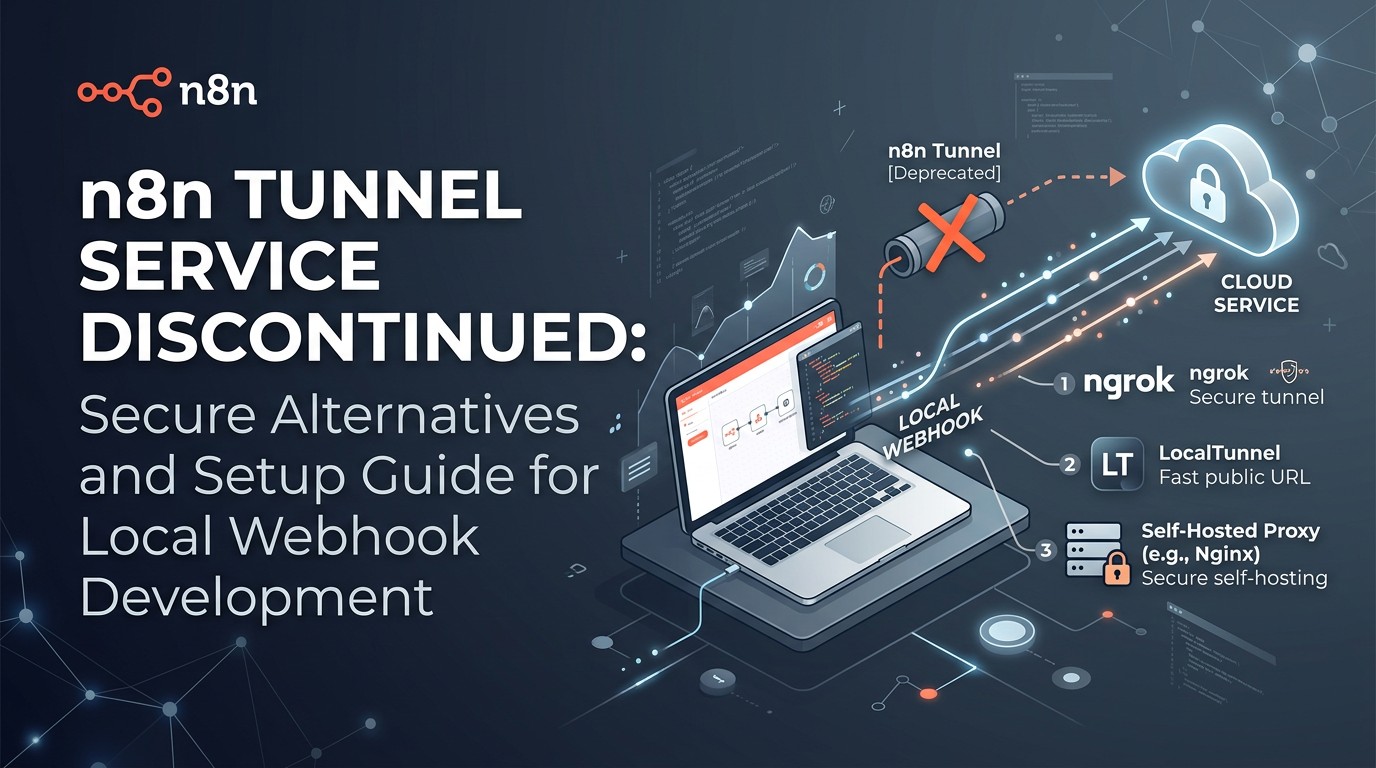
n8n Tunnel Service Discontinued: Secure Alternatives and Setup Guide for Local Webhook Development
Productivity

n8n Tunnel Discontinued: 3 Secure Alternatives for Local Webhook Testing

03 March 2026
3 דקות קריאה
5 צפיות

Quick AI Summary

The n8n Tunnel service has been discontinued, affecting developers who relied on it for exposing local webhooks. This article explains why the service was retired and offers detailed guidance on secure alternatives.

n8n Webhooks: Secure Local Development After Tunnel Discontinuation

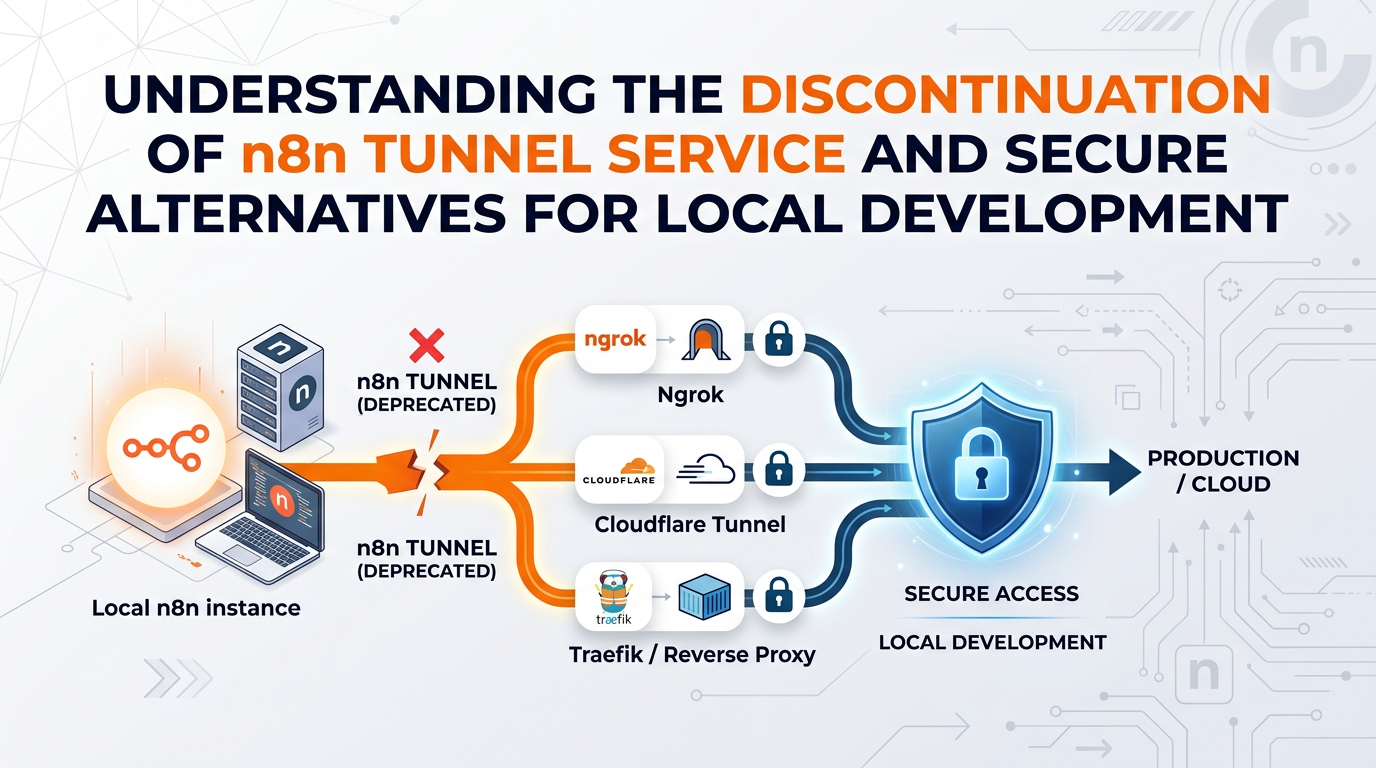
Testing n8n webhooks just became more hands-on following the discontinuation of the built-in n8n Tunnel Service. This change directly impacts developers who need to expose local environments for integration testing. In this guide, we dive into the best practices for managing n8n webhooks securely, exploring why the internal service was retired and how to implement robust third-party alternatives for automation development. ## Understanding the n8n Tunnel Service Discontinuation The n8n Tunnel Service was initially created to simplify exposing local development environments to the internet, enabling webhook testing and integrations. However, maintaining this service posed challenges including security risks, performance constraints, and limited scalability. These issues led to the decision to phase out the built-in tunnel in favor of more reliable third-party solutions. ## How the Change Impacts n8n Webhooks and Workflow Developers who rely on n8n webhooks for real-time automation development will now need external tunneling tools to maintain public access to their local servers. While this requires some adjustment, using dedicated tunnel services enhances security, reliability, and flexibility compared to the previous built-in solution. This shift is particularly relevant for Israeli businesses and industries that emphasize automation, such as does.center, a local automation provider, which supports secure workflow integrations for sectors including Israeli banks, hospitals, and logistics companies. ## Best Practices for Secure n8n Webhooks When exposing n8n webhooks from your local environment: - **Security:** Using HTTPS, authentication, and firewalls is critical to mitigate unauthorized access when your dev environment is public. Third-party services often include enhanced security and monitoring. - **Reliability:** Dedicated tunnels are maintained by teams focused on uptime and infrastructure, reducing downtime. - **Flexibility:** External tunnels allow customization of endpoints, traffic routing, and support for multiple tunnels, beneficial for complex workflows. ## Recommended Secure Tunneling Alternatives ### Ngrok Ngrok is a popular tunneling tool that securely exposes localhost via a public URL, provides metrics and request logs, and supports custom subdomains. Running `ngrok http 5678` creates a tunnel forwarding traffic to port 5678. ### LocalTunnel LocalTunnel is a simple, open-source alternative offering quick setup and public URL sharing for development demos. It lacks advanced logging but provides an easy lightweight option. ### Cloudflare Tunnel (formerly Argo Tunnel) Cloudflare Tunnel delivers enterprise-grade security by routing traffic securely to your origin server, integrates with DDoS protection and firewalls, and manages heavy traffic gracefully without codebase changes. ## How to Set Up a Secure Tunnel Using Ngrok 1. **Installation:** Download and install ngrok from its official website. 2. **Configuration:** Sign up and input your auth token to link your account. 3. **Running the Tunnel:** Launch with `ngrok http ` (e.g., `ngrok http 5678`). 4. **Testing & Security:** Test the public URL, implement HTTPS, and configure authentication. 5. **Advanced Features:** Explore custom subdomains, traffic inspection, and request replay. ## Benefits of Switching to Third-Party Tunnels - Enhanced security layers and monitoring. - Increased stability and reduced downtime. - Greater control over tunnel configuration. - Scalable pricing with free and paid tiers. ## Transitioning Your Development Environment To adapt smoothly, test multiple tunnel services early, document new workflows, and compare performance and usability until you find the best fit. This proactive approach ensures continuity and improves security and flexibility. Israeli research institutions and innovative automation providers like does.center often advocate for adopting such robust tools to ensure reliable and secure digital integrations. In summary, while the loss of the built-in tunnel requires new tools, alternatives like ngrok and Cloudflare Tunnel provide superior stability for n8n webhooks. Early adaptation and thorough configuration help maintain stable and secure integration workflows.

Configuring n8n Webhooks for External Access

When working with n8n webhooks in a local environment, simply setting up a tunnel isn't enough. You must ensure that n8n is aware of its public-facing address. This is achieved by setting the WEBHOOK_URL environment variable in your n8n configuration. Without this, n8n might generate internal URLs (like localhost:5678) for your webhook nodes, which external services won't be able to reach even if your tunnel is active.

For users in Israel utilizing services like does.center, ensuring these endpoints are correctly mapped is vital for seamless פיתוח webhooks and אוטומציה פיתוח. Proper configuration ensures that callbacks from services like GitHub, Stripe, or local שירותים מקומיים land exactly where they should. This setup is the foundation of a professional automation development environment.

To maintain a robust secure development environment, you must shift toward reliable webhook forwarding solutions. Whether you rely on self-hosted n8n instances or cloud deployments, implementing a dedicated local tunnel proxy like Ngrok or Cloudflare Tunnels ensures your automation testing remains stable without relying on deprecated built-in services.
Tips
Tools
n8n
שירותים מקומיים
פיתוח Webhooks
n8n webhooks
אוטומציה פיתוח
webhook forwarding
secure development environment
self-hosted n8n
local tunnel proxy
מאמרים קשורים
הבנת הפסקת שירות נתיבי ה-n8n ואלטרנטיבות מאובטחות לפיתוח מקומי

הבנת הפסקת שירות נתיבי ה-n8n ואלטרנטיבות מאובטחות לפיתוח מקומי

המדריך המלא ל-n8n בעברית: מניהול נכון של פיתוח מקומי ואבטחת שרתים ועד לפתרונות חלופיים ל-webhooks. כל מה שצריך לדעת כדי לעבוד נכון עם כלי האוטומציה החזק בעולם.

4 דקות קריאה
Understanding the Discontinuation of n8n Tunnel Service and Secure Alternatives for Local Development

Understanding the Discontinuation of n8n Tunnel Service and Secure Alternatives for Local Development

Discover why secure data tunneling (מנהור נתונים מאובטח) via SSH port forwarding is the superior choice for local development and webhook management after the n8n tunnel retirement.

5 דקות קריאה
15 משתמשים עוצמתיים של סוכני בינה מלאכותית שמשנים את תהליכי העבודה בעסקים

15 משתמשים עוצמתיים של סוכני בינה מלאכותית שמשנים את תהליכי העבודה בעסקים

מדריך מקיף על n8n אוטומציה וסוכני בינה מלאכותית: גלו כיצד לשלב כלים מתקדמים כדי לפשט תהליכי עבודה, לשפר יעילות ולהעצים את קבלת ההחלטות בארגון שלכם.

5 דקות קריאה
חשיפת פרצות מתואמת (CVD): המדריך המלא לאבטחת מערכות תוכנה וצמצום סיכוני סייבר

חשיפת פרצות מתואמת (CVD): המדריך המלא לאבטחת מערכות תוכנה וצמצום סיכוני סייבר

מדריך ליישום נהלי אבטחת מידע וחשיפת פרצות מתואמת. גלו איך הגנת סייבר ואבטחת מערכות מידע משתלבות יחד ליצירת פלטפורמות תוכנה בטוחות ועמידות יותר.

3 דקות קריאה
n8n Security: Commitment to Transparency, Vulnerability Disclosure, and User Protection

n8n Security: Commitment to Transparency, Vulnerability Disclosure, and User Protection

n8n's approach to data protection focuses on transparency and protecting sensitive data. Explore our risk prevention protocols, security advisories, and safety standards.

5 דקות קריאה
מצאנו עבורך תכנים נוספים שיעשירו את הידע שלך 📚

שאלות ותשובות

What happened to the n8n Tunnel Service?

The n8n Tunnel Service and the command-line flag --tunnel have been discontinued due to security risks, performance constraints, and limited scalability.

What are some secure alternatives to the n8n Tunnel Service?

Some secure alternatives include Ngrok, LocalTunnel, and Cloudflare Tunnel.

How does the discontinuation of the n8n Tunnel Service affect developers?

Developers will need to use external tunneling tools to expose their local servers for webhook testing, which may require adjustments in their development workflow.

Why is security important when exposing a local environment?

Using HTTPS, authentication, and firewalls is critical to mitigate unauthorized access when your development environment is public.

What are the benefits of using dedicated tunneling services?

Dedicated tunneling services enhance security, reliability, and flexibility compared to the old built-in solution.

How do I configure n8n webhooks with a custom URL?

To use n8n webhooks with an external tunnel, you must set the WEBHOOK_URL environment variable to your tunnel's public address (e.g., https://your-subdomain.ngrok-free.app/). This ensures that n8n generates the correct URLs within the workflow editor.

Are third-party tunnels safe for n8n webhooks?

Yes, provided you use reputable services like Ngrok or Cloudflare Tunnel. These services offer features like OAuth protection and IP whitelisting, making your n8n webhooks more secure than the previous built-in tunnel solution.

הוראות שלב אחר שלב

1

Install Ngrok

Download and install ngrok from its official website.
2

Create a Tunnel

Run the command 'ngrok http 5678' to create a tunnel that forwards traffic to port 5678.
3

Use the Public URL

Use the generated public URL from ngrok to test your webhook integrations.
תגובות (0)

אין תגובות עדיין. היה הראשון להגיב!

שתף מאמר

קטגוריה

Productivity

Tips and tools for increasing efficiency

מאת

O
Omer Dahan
כותב/ת